1
Open Profile settings
Launch the Maeve app and tap the cog icon in the top-right corner of the home screen.

You can permanently delete your account and all associated data directly from the Maeve mobile app. The process takes three taps — there is no review period or soft-delete.
Launch the Maeve app and tap the cog icon in the top-right corner of the home screen.
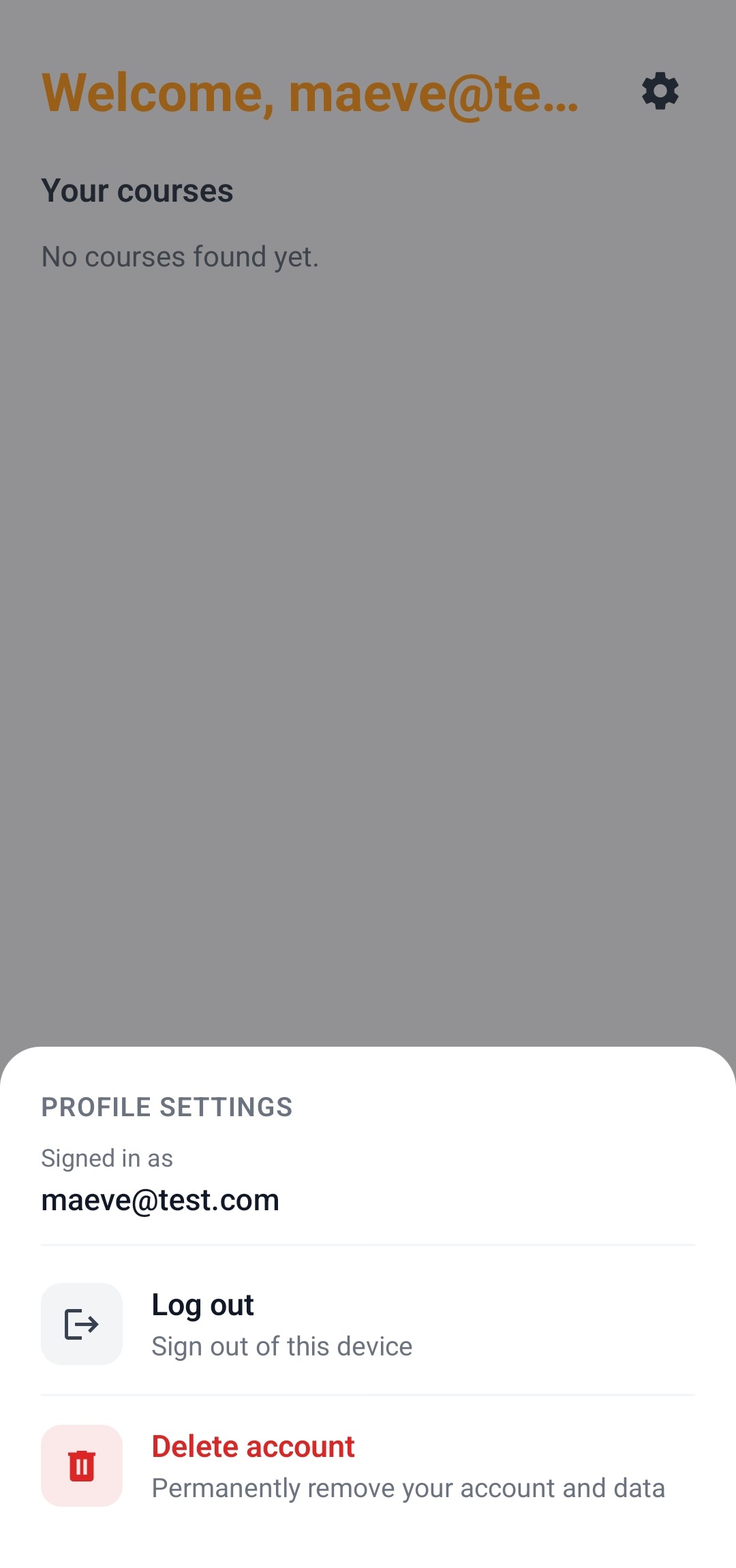
A Profile Settings panel slides up showing the email tied to your account. Tap the red "Delete account" row at the bottom of the panel.
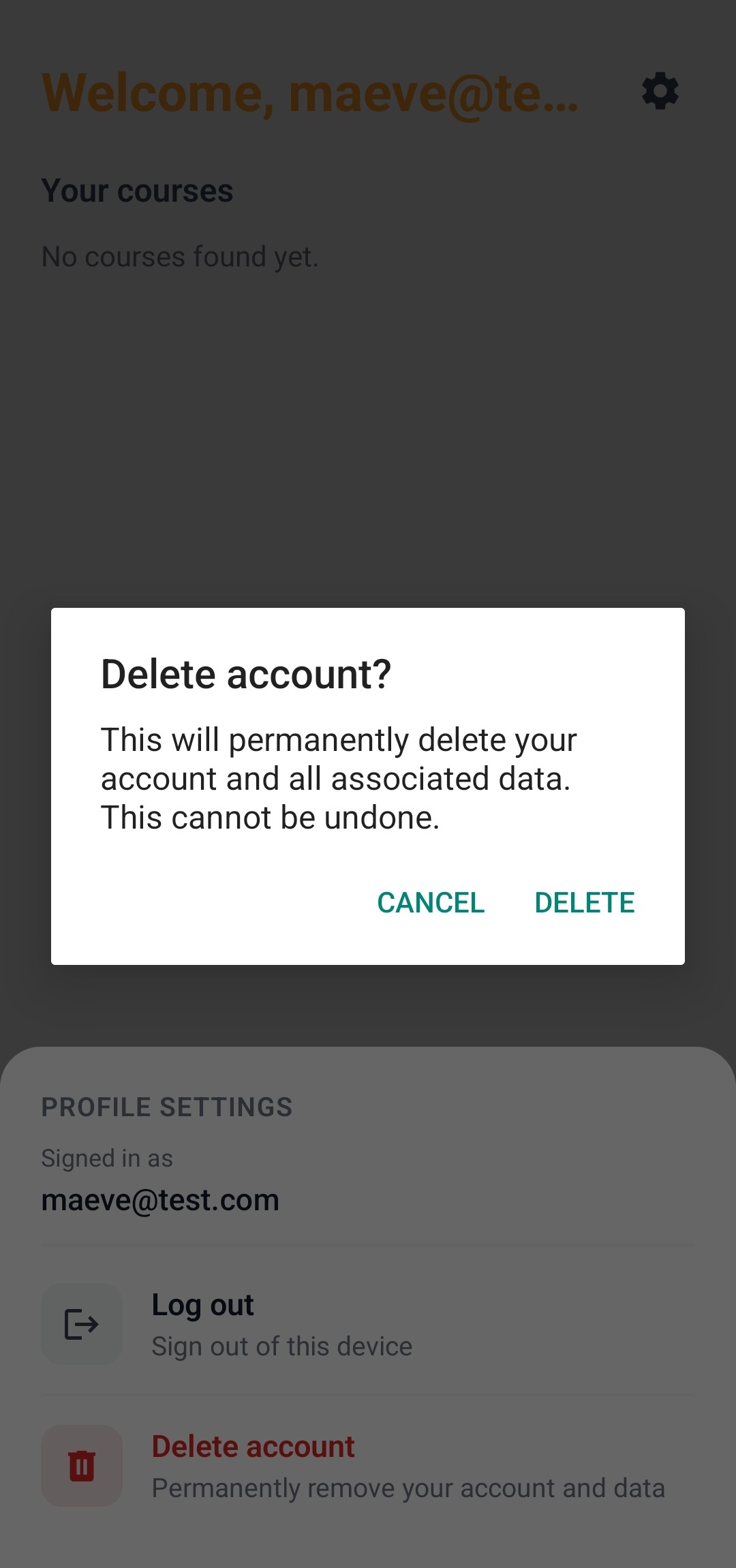
A confirmation dialog appears. Tap DELETE to permanently remove your account and all associated data. This cannot be undone.
Deletion is permanent. Once the request completes, the data cannot be recovered.
If you are unable to sign in or uninstalled the app before deleting your account, email richard@ask-maeve.com from the address tied to your account. We will verify your identity and delete the account on your behalf within seven days.